


TL;DR:
- Ergonomic design focuses on tailoring environments and tasks to human capabilities, reducing strain and injury.
- Implementing simple adjustments like monitor height and chair positioning can significantly improve comfort and prevent chronic issues.
Ergonomic design is defined as the practice of shaping environments, products, and tasks to fit human physical and cognitive capabilities rather than forcing people to adapt to their surroundings. Recognized by the Board of Certification in Professional Ergonomics as a scientific discipline, it minimizes physical strain and cognitive load to optimize both well-being and system performance. Whether you spend eight hours at a desk or work from a home office, the way your space is arranged directly affects your posture, energy levels, and long-term health. Lunixinc builds its entire product philosophy around this idea: your environment should work for your body, not against it.
What is ergonomic design and why does it matter?
Ergonomic design is the science of fitting the job to the person, not the other way around. That single shift in perspective separates ergonomics from conventional design, which typically asks people to adjust their behavior to match a fixed environment. The result of poor design is predictable: stiff necks, aching lower backs, and the kind of fatigue that builds slowly until it becomes a real problem.
The definition of ergonomic design covers far more than office chairs. It applies to the angle of a kitchen countertop, the grip of a hand tool, the height of a monitor, and even the layout of a software interface. Certified Professional Ergonomists address physical, cognitive, and organizational dimensions of a system, meaning ergonomics touches every layer of how you interact with your world.
The importance of ergonomic design becomes clearest when you look at injury data. Musculoskeletal disorders account for roughly one-third of all lost-time work injuries globally. That statistic means millions of people miss work each year because their environment placed repeated stress on joints, muscles, and tendons that were never designed to absorb it. Ergonomic design addresses the source of that stress before it becomes an injury.
What are the core principles of ergonomic design?
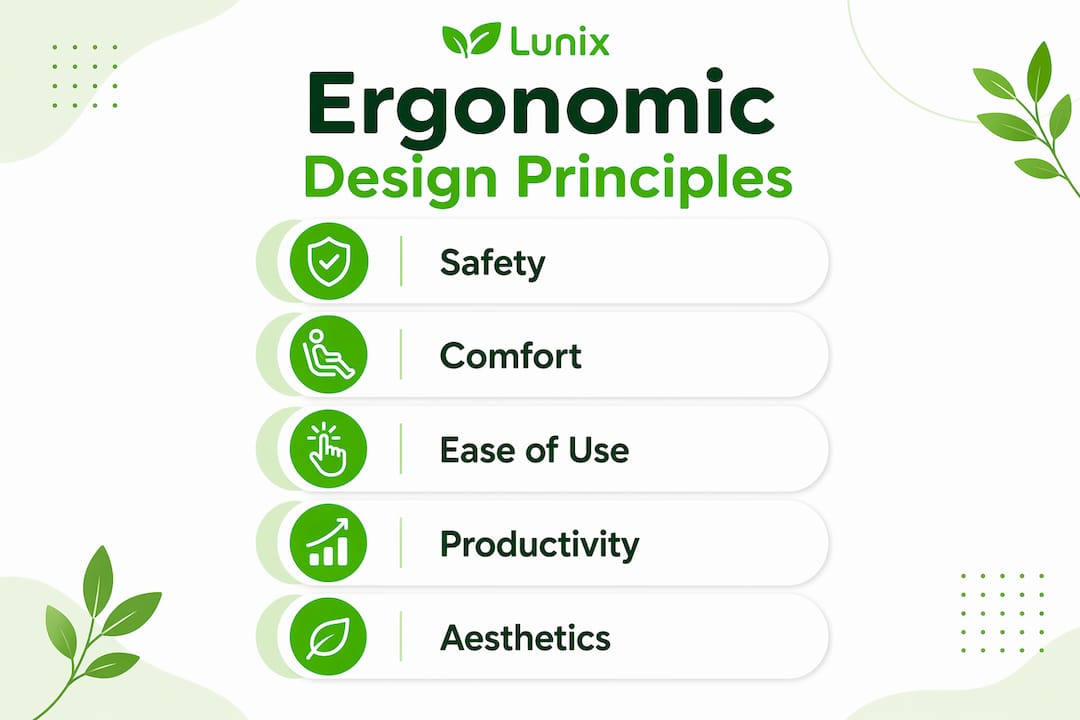
Five aspects form the foundation of any well-designed ergonomic environment. Understanding them helps you evaluate any product or workspace setup with a sharper eye.
- Safety is the non-negotiable baseline. A design that introduces injury risk, however comfortable it feels initially, fails the first test of ergonomics.
- Comfort addresses sustained physical ease. A chair that feels fine for 20 minutes but causes hip pain after two hours is not ergonomically sound.
- Ease of use reduces the mental and physical effort required to complete a task. Keyboards, tools, and controls should require minimal force and awkward reaching.
- Productivity and performance measure how well a design supports efficient work without fatigue. Ergonomic design principles recognize that tired bodies produce slower, less accurate results.
- Aesthetics matter because people are more likely to use and maintain environments they find appealing. A beautiful, well-designed space encourages consistent ergonomic behavior.
Professional assessments follow standards including ANSI/HFES 100, ISO 9241, and EU Directive 90/270/EEC to validate that a workspace meets measurable criteria. These frameworks exist because good intentions alone do not produce safe environments. Compliance with OSHA’s General Duty Clause and relevant EU Directives also anchors ergonomic interventions in law, not just best practice.
Pro Tip: Before purchasing any new equipment, audit your current setup against the five principles above. Most people discover that small adjustments to existing furniture solve 60 to 70 percent of their discomfort without spending a dollar.
What are real-world examples of ergonomic design?
Seeing ergonomic design principles in action makes them far easier to apply. The examples below span home and office environments, from simple fixes to more deliberate setups.
- Adjustable office chairs with lumbar support, seat depth adjustment, and armrest height control allow each person to configure their seating to their own body dimensions. A chair set at the wrong height creates a domino effect of physical strain through the hips, lower back, and shoulders.
- Sit-stand desks let you alternate between seated and standing positions throughout the day. Sustained sitting compresses spinal discs and reduces circulation to the legs. Alternating positions counters both effects.
- Monitor placement at eye level prevents the forward head posture that loads the cervical spine with up to four times its normal weight. The top of your screen should sit at or just below eye level, roughly an arm’s length away.
- Ergonomic keyboards and mice reduce ulnar deviation (the sideways wrist bend most standard keyboards force). Split keyboards and vertical mice keep the wrist in a more neutral position during long typing sessions.
- Task lighting positioned to eliminate glare reduces eye strain and the compensatory forward lean many people adopt when squinting at a screen.
The table below compares reactive versus proactive ergonomic approaches, which is a distinction that shapes how much benefit you actually receive.
| Approach | Description | Outcome |
|---|---|---|
| Reactive (PPE-first) | Relies on wrist braces, back supports, and posture reminders after discomfort appears | Manages symptoms without addressing root cause |
| Proactive (engineering controls first) | Redesigns tasks, adjusts heights, and reconfigures layouts before discomfort develops | Eliminates strain at the source |
Engineering controls like task redesign and height adjustment must come before equipment purchases or personal protective equipment. PPE is the last resort in ergonomics, not the starting point. For a deeper look at how these principles apply to specific workspace layouts, the healthy workspace guide from Lunixinc walks through practical configurations in detail.
What are the measurable benefits of ergonomic design?
The benefits of ergonomic design extend well beyond personal comfort. They translate into measurable financial, physical, and cognitive gains that affect your daily life and your employer’s bottom line.
“Every $1 invested in ergonomic controls yields $3 to $6 in savings from reduced injuries and turnover.” — SmartQHSE, 2026
That 3:1 to 6:1 return on investment explains why organizations from manufacturing plants to law firms have made ergonomics a budget priority. The savings come from fewer injury claims, lower absenteeism, and reduced staff turnover driven by chronic pain and discomfort.
For individuals, the benefits are just as concrete. Research on ergonomic design and back pain shows that properly configured workstations reduce reported back pain significantly, with some studies citing reductions above 50 percent. Reduced fatigue means sharper focus in the afternoon hours when most people experience their sharpest cognitive dip. Better posture reduces headaches caused by neck tension. Improved circulation from regular position changes supports energy levels throughout the day.

| Benefit | What it means for you |
|---|---|
| Reduced musculoskeletal disorders | Less back, neck, and wrist pain from daily work |
| Lower fatigue | More sustained energy and mental clarity across a full workday |
| Improved posture | Reduced spinal load and fewer tension headaches |
| Higher productivity | Fewer interruptions from discomfort and fewer sick days |
| Financial savings | Lower healthcare costs and reduced need for corrective treatments |
Ergonomics also applies well beyond the office. Across manufacturing and logistics, ergonomic interventions reduce repetitive strain injuries among workers who lift, carry, and operate machinery for hours at a time. The same principles that protect a warehouse worker’s lower back protect yours when you’re gardening, cooking, or working at a home workstation.
How can you apply ergonomic design principles at home or work?
Applying ergonomic design does not require a full office renovation. Most meaningful improvements come from systematic assessment and small, consistent changes. Here is how to approach it.
- Start with your chair. Adjust seat height so your feet rest flat on the floor and your knees form a 90-degree angle. Your lower back should contact the lumbar support without you having to lean back.
- Set your monitor height. The top edge of your screen should align with your eyes when you sit upright. If you use a laptop, a separate monitor or a laptop stand paired with an external keyboard is the most effective fix.
- Position your keyboard and mouse close. Your elbows should stay near your sides, bent at roughly 90 degrees. Reaching forward for your mouse is one of the most common causes of shoulder tension.
- Manage your lighting. Position your monitor perpendicular to windows to reduce glare. Use a desk lamp aimed at your work surface rather than your screen.
- Take movement breaks every 30 to 60 minutes. Small, consistent adjustments to posture and position effectively reduce muscle fatigue and improve focus over a full workday.
True ergonomic assessment goes beyond self-correction. Validated tools like the NIOSH Lifting Equation and RULA provide structured frameworks for identifying risk factors that posture reminders alone will never catch. If you experience persistent discomfort despite adjustments, a professional ergonomic assessment is the most direct path to a lasting solution. For practical strategies tailored to desk-based work, the Lunixinc guide on desk job discomfort covers five specific approaches worth applying today.
Pro Tip: Photograph your current workstation from the side before making any changes. Reviewing the image objectively often reveals posture issues that feel normal because you have adapted to them over months or years.
Key takeaways
Ergonomic design works because it addresses the physical and cognitive demands of your environment at the source, reducing injury risk, fatigue, and lost productivity before they accumulate into chronic problems.
| Point | Details |
|---|---|
| Core definition | Ergonomic design fits environments and tasks to human capabilities, not the reverse. |
| Five key principles | Safety, comfort, ease of use, productivity, and aesthetics guide every ergonomic decision. |
| Injury prevention | Musculoskeletal disorders cause one-third of lost-time injuries; ergonomics targets the root cause. |
| Financial return | Every $1 invested in ergonomic controls returns $3 to $6 in savings. |
| Practical application | Start with chair height, monitor placement, and movement breaks before buying new equipment. |
What Lunixinc has learned about ergonomics in practice
Most people approach ergonomics backwards. They buy a new chair or a standing desk, feel better for two weeks, and then drift back into the same habits that caused their discomfort in the first place. The problem is not the equipment. It is the absence of a system.
What I have found, working closely with people who are serious about their long-term comfort and recovery, is that the most effective ergonomic changes are almost always the least dramatic. Raising a monitor three inches, moving a keyboard six inches closer, adding a footrest because the chair cannot go low enough. These adjustments cost almost nothing and produce results that expensive gear rarely matches.
The other thing most articles will not tell you: ergonomics is not a one-time setup. Your body changes. Your work changes. A configuration that worked well at 35 may not serve you at 50. Building the habit of reassessing your environment every six months is more valuable than any single product purchase.
I also believe strongly that recovery is the missing half of the ergonomics conversation. Designing your workspace to reduce strain is one side. Actively supporting your body’s restoration through quality rest, targeted recovery tools, and deliberate relaxation is the other. Neither works as well without the other.
— Lunix
How Lunixinc supports your ergonomic well-being
Ergonomic design reduces the strain your body absorbs during the day. Recovery tools address what remains after the workday ends.

Lunixinc designs smart comfort and recovery solutions built around the same principles covered in this article: fitting support to your body’s actual needs, not a generic standard. From targeted recovery products to tools that help your muscles restore after sustained effort, the Lunixinc recovery collection complements any ergonomic setup you build at home or at work. If you want to understand the full scope of what these solutions offer, the benefits overview explains how each product category supports long-term physical well-being. Your workspace sets the conditions. Recovery completes the picture.
FAQ
What is the simplest definition of ergonomic design?
Ergonomic design is the practice of creating products, tasks, and environments that fit human physical and cognitive capabilities. The goal is to reduce strain, prevent injury, and support sustained comfort and performance.
What are the most important ergonomic design principles?
The five core principles are safety, comfort, ease of use, productivity, and aesthetics. Professional assessments use standards like ANSI/HFES 100 and ISO 9241 to measure compliance with each principle.
How does ergonomic design reduce injury?
Musculoskeletal disorders cause roughly one-third of all lost-time work injuries globally. Ergonomic design eliminates the repetitive strain and awkward postures that cause these injuries by addressing the environment rather than asking individuals to self-correct.
Is ergonomic design only relevant for office workers?
No. Ergonomic design applies across manufacturing, logistics, healthcare, and home environments. Any setting where people perform repeated physical or cognitive tasks benefits from ergonomic principles.
How do I start implementing ergonomic design without spending a lot of money?
Begin with engineering controls: adjust your chair height, monitor position, and keyboard placement before purchasing new equipment. Small, consistent adjustments to posture and equipment placement reduce muscle fatigue and improve focus without requiring significant investment.